The concentration management tool in OSCAR is available to add, remove, or modify a concentration for a given program of study.
If you need access to older content, please visit our Legacy Site.
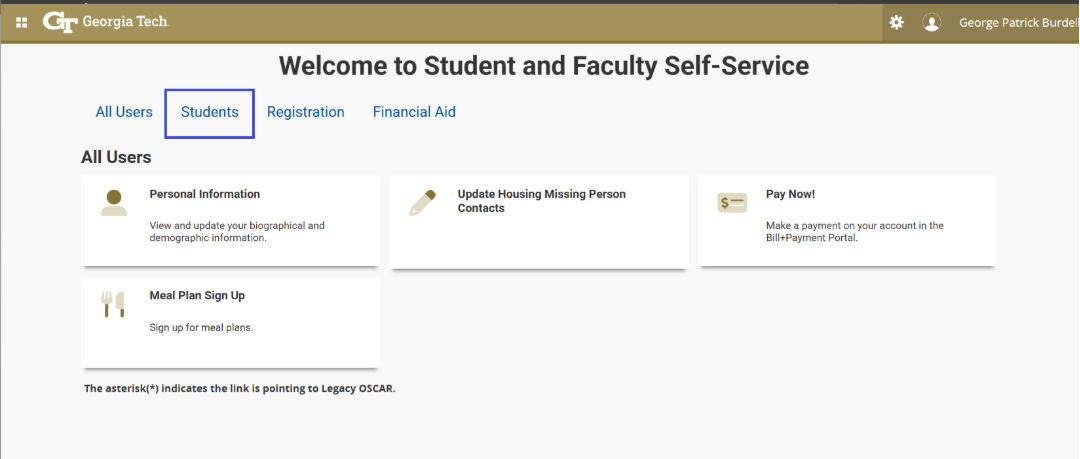
Login to Oscar & Select Students tab:
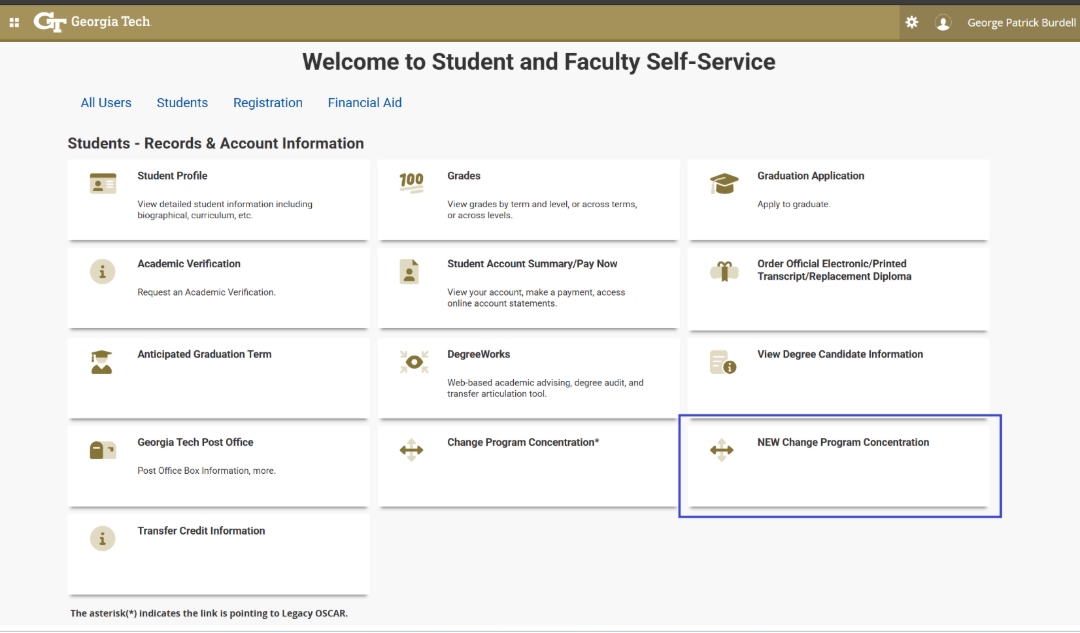
Select NEW Change Program Concentration
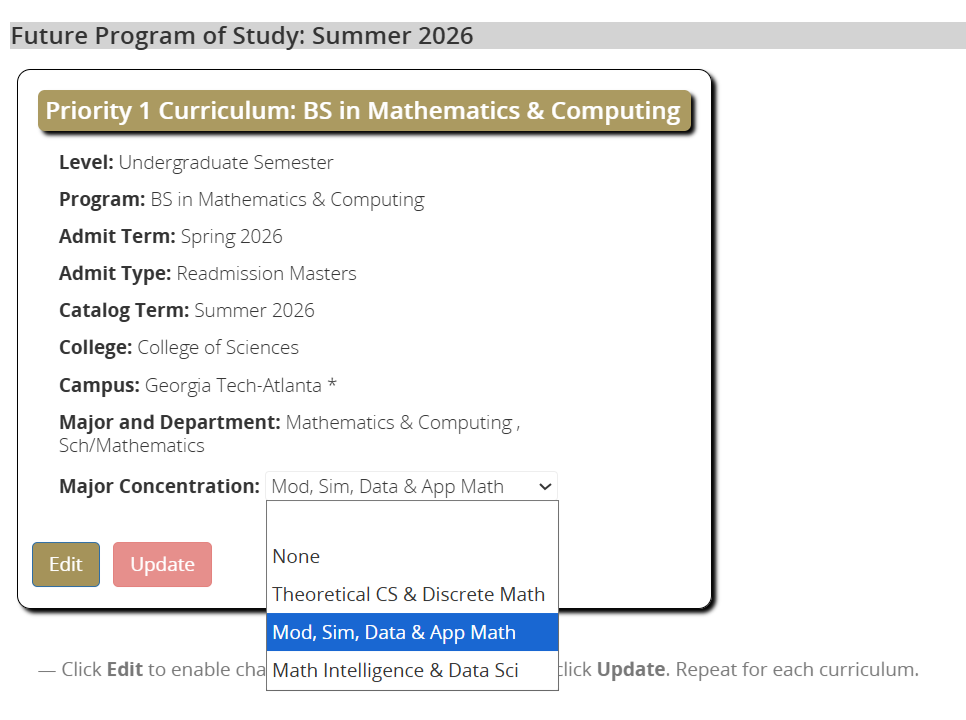
Select the Future Program of Study, if displayed. Select Current Program of Study if this is the only option. If your program is not listed or incorrect, contact dc@registrar.gatech.edu to review.
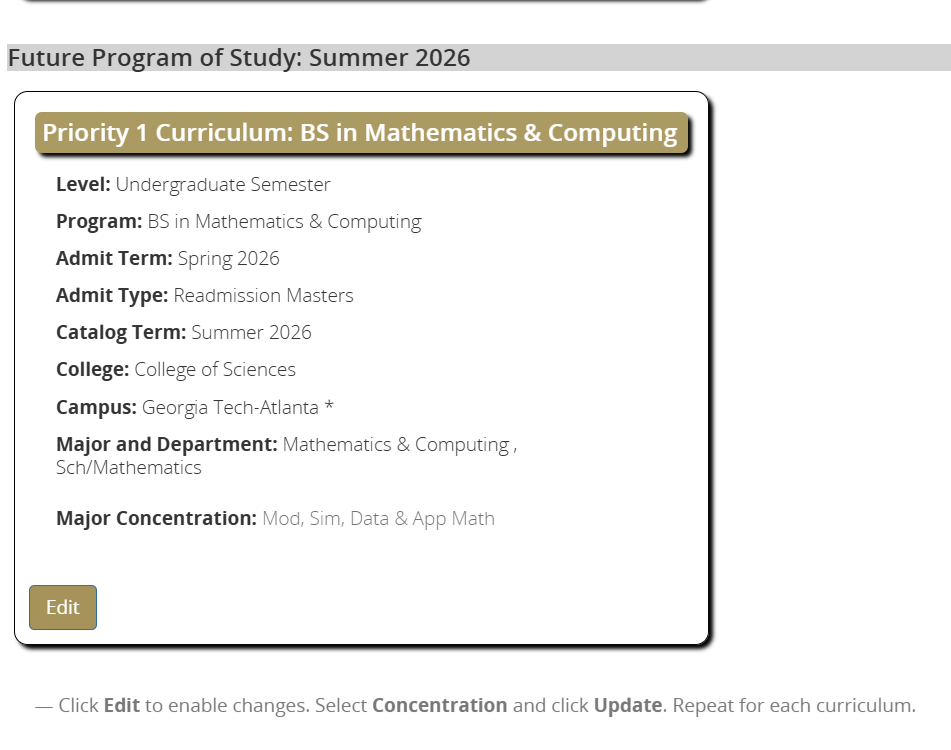
Follow instructions to Click Edit, Select Concentration, and click Update.
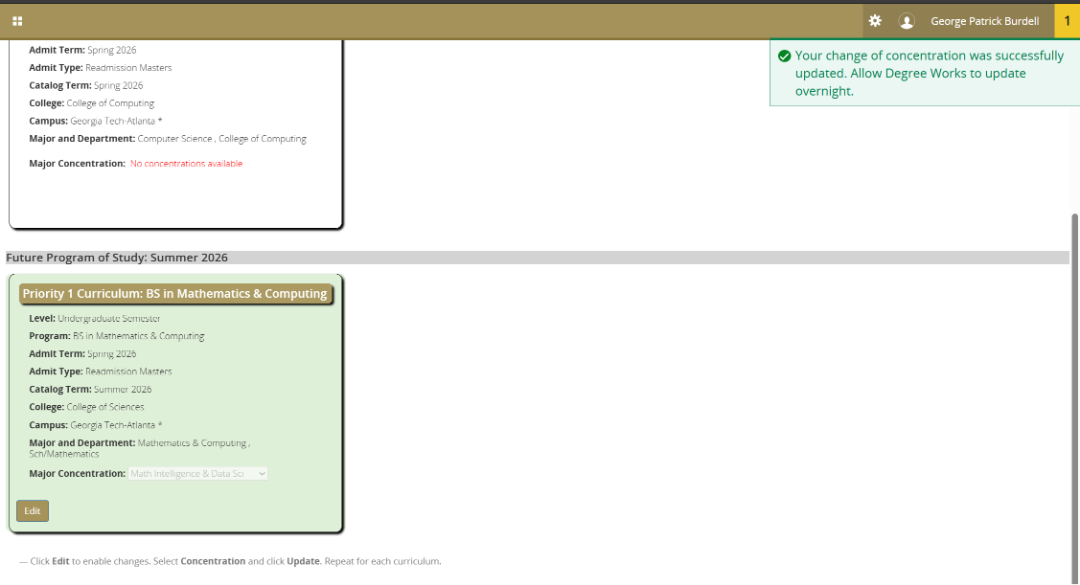
Please allow the concentration to update. Once complete the Curriculum with update green and display a message in the top right to note the change. Allow Degree Works to update overnight.